

What is the parity bit in a Serial Cable Rs232 communication?
Oct 15, 2025
Hey there! As a supplier of Serial Cable Rs232, I've been getting a lot of questions lately about parity bits in Serial Cable Rs232 communication. So, I thought I'd take a few minutes to break it down and explain what it's all about.
First off, let's talk a bit about Serial Cable Rs232. It's a standard for serial communication that's been around for ages. It's used to transfer data between devices, like computers and printers, modems, or other peripherals. The Rs232 standard defines the electrical characteristics, signal levels, and pin assignments for the cable, which helps ensure compatibility between different devices.
Now, let's get into the nitty - gritty of parity bits. In Serial Cable Rs232 communication, a parity bit is an extra bit that's added to each byte of data being transmitted. Its main job is to help detect errors that might occur during the data transfer. You see, when data is sent over a cable, there's always a chance that something could go wrong. Electrical interference, noise, or other issues can cause bits to flip, meaning a 0 might turn into a 1 or vice versa.
There are three main types of parity: even parity, odd parity, and no parity.
Even Parity
With even parity, the parity bit is set in such a way that the total number of 1s in the byte (including the parity bit) is an even number. For example, if you're sending a byte of data like 1010101, there are 4 1s in this byte. Since 4 is already an even number, the parity bit will be set to 0. But if the byte was 10101011, which has 5 1s, the parity bit would be set to 1 to make the total number of 1s even (6 in this case).
When the receiving device gets the data, it counts the number of 1s in the byte (including the parity bit). If the number of 1s is not even, it knows that an error has occurred somewhere during the transmission.
Odd Parity
Odd parity works in a similar way, but instead, the parity bit is set so that the total number of 1s in the byte (including the parity bit) is an odd number. Using the same example as before, for the byte 1010101 (4 1s), the parity bit would be set to 1 to make the total number of 1s odd (5). And for the byte 10101011 (5 1s), the parity bit would be 0 to keep the total number of 1s odd (5).
The receiving device then checks if the number of 1s is odd. If it's not, an error is detected.
No Parity
As the name suggests, when using no parity, no parity bit is added to the data. This is often used when speed is more important than error detection, or when the communication channel is very reliable and the chances of errors are extremely low.
Now, you might be wondering how important parity bits are. Well, it really depends on your specific application. If you're working in an environment where data accuracy is crucial, like in a medical device or a financial transaction system, using parity can be a lifesaver. It gives you an extra layer of protection against data corruption.
On the other hand, if you're just doing something like transferring a text file between two devices in a relatively stable environment, you might not need parity. The extra time it takes to calculate and check the parity bit can slow down the data transfer, so in those cases, no parity might be the way to go.
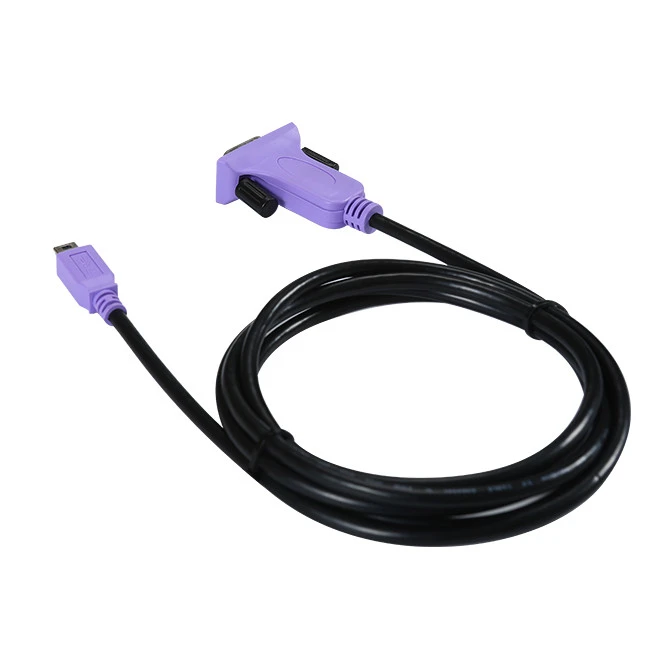
At our company, we offer a wide range of Serial Cable Rs232 products to suit different needs. For example, if you're looking for a cable to connect a device with a Mini USB 5 - pin male port to a DB9 male port, we've got you covered with our Mini USB 5pin Male To DB9 Male Cable. This cable is great for those situations where you need to make a specific connection.
If you're using a USB 2.0 device and want to connect it to a serial port, our USB2.0 To RS232 DB9 Serial Port Cable is a perfect choice. It's reliable and easy to use, and it can help you get your data flowing smoothly.
And for those who need to connect a USB 2.0 male port to a serial 9 - pin male DB9 RS232 port, our USB 2.0 Male To Serial 9Pin Male DB9 RS232 Cable is a top - notch option.
We understand that choosing the right cable and settings, like parity, can be a bit confusing. That's why our team of experts is always here to help. Whether you need advice on which cable to buy or how to set up your Serial Cable Rs232 communication, we're just a message away.

If you're interested in purchasing our Serial Cable Rs232 products or have any questions about parity bits or anything else related to serial communication, don't hesitate to reach out. We're committed to providing high - quality products and excellent customer service.
References
- Stallings, W. (2017). Data and Computer Communications. Pearson.
- Tanenbaum, A. S. (2011). Computer Networks. Prentice Hall.