

What is the maximum number of devices that can be daisy - chained using USB 3.0 cables?
Dec 19, 2025
Hey there, tech enthusiasts! I'm super stoked to chat about a topic that's been buzzing in the tech world - the max number of devices you can daisy - chain using USB 3.0 cables. I'm part of a USB 3.0 cable supplier group, so I've got a fair bit of knowledge to share on this front.
First things first, let's understand what daisy - chaining is. It's a method of connecting multiple devices in a line, where each device is connected to the next one via a cable. And with USB 3.0 cables, it's a pretty handy way to expand your device setup without having to plug everything directly into your computer.
Now, let's dig into the technical side. USB 3.0 is a high - speed interface that offers some pretty awesome data transfer rates. Compared to its predecessors, it's a real game - changer. But when it comes to daisy - chaining, there are limitations.
The official USB standards give us a starting point. USB 3.0 operates on a tiered system. The root hub on your computer can deal with a certain number of directly connected devices. Each of these devices can then act as a hub and connect to more devices, but this comes with a drop in bandwidth and possible data stability issues.
One major factor that affects the max number of daisy - chained devices is the available power. USB 3.0 cables are designed to provide power to connected devices. But as you add more devices to the chain, the power distribution becomes tricky. Each device consumes a certain amount of power, and if you overload the power supply, some devices might not function correctly.
Another critical aspect is signal integrity. USB 3.0 uses high - frequency signals for data transfer. As the signal travels through multiple cables and devices, it can degrade. This degradation can lead to slower data transfer rates, data loss, or even complete device disconnection.
So, what's the actual max number? Well, it's not a one - size - fits - all answer. In an ideal world, with perfect cables, power supplies, and devices, you might be able to daisy - chain up to 5 or 6 devices. However, in real - world scenarios, 3 or 4 is a more practical number. This allows you to maintain a good balance between power consumption, signal integrity, and data transfer speeds.
Let me give you some examples of how these limitations play out. Say you have a computer with a USB 3.0 root hub. You connect a USB 3.0 hub to it, and then you start adding devices like external hard drives, cameras, and printers. As you add the second or third device, you might notice a slight slowdown in data transfer. If you try to push it to 5 or more, there's a high chance that some devices will stop working correctly.
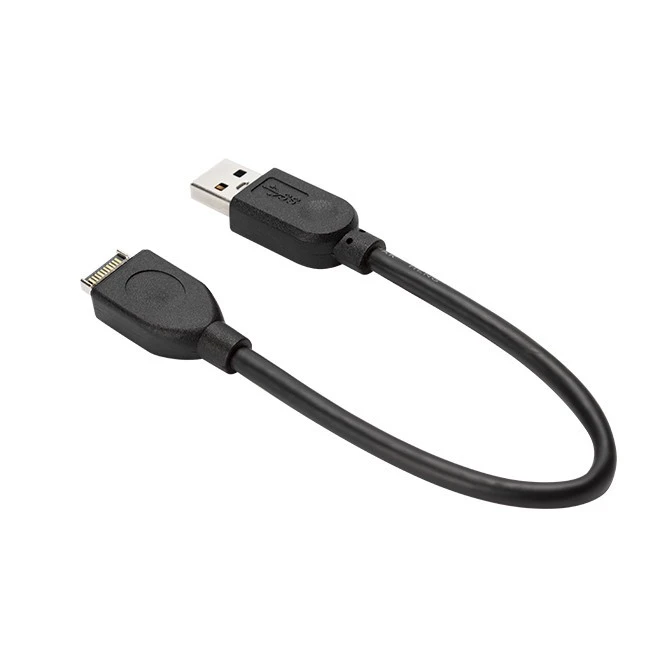
Now, I want to mention some of the USB 3.0 cables we offer. We've got the USB 3.1 Type E Male To USB 3.0 Female Cable Converter. This little converter is super useful if you need to connect a device with a USB 3.1 Type E port to a USB 3.0 device. It's well - made and ensures a stable connection.

Then there's the USB 3.0 A Male To USB 3.0 Type B Male Scanner Printer Cable. If you're looking to connect a scanner or printer to your computer, this cable is the way to go. It's durable and provides fast data transfer speeds.
And for those who prefer a more compact and stylish option, we have the Flat USB 3.0 AM To Micro USB Cable. It's perfect for charging and transferring data to your mobile devices.
If you're looking to set up a daisy - chained USB 3.0 device system for your business or personal use, we're here to help. Our cables are designed to meet the highest standards of quality and performance. Whether you're a small - scale user or a large - scale enterprise, we've got the right cable solutions for you.
Wondering how to get started with the right USB 3.0 cable setup for your daisy - chaining needs? Reach out to us! We can offer personalized advice based on your specific requirements. Whether you're not sure about which cable to choose or need help with understanding the technical details, just contact us for a chat. We're not just about selling cables; we're here to make sure you get the best experience out of your USB 3.0 device connections. Let's have a conversation to find the perfect USB 3.0 cable solutions for your daisy - chaining project.
References
- "Universal Serial Bus 3.0 Specification", USB Implementers Forum
- Various technical documents from leading USB device manufacturers.