

What is the impact of cable length on parallel cable performance?
Oct 28, 2025
As a seasoned supplier of parallel cables, I've witnessed firsthand the critical role cable length plays in determining parallel cable performance. In this blog post, I'll delve into the various impacts of cable length on parallel cable performance, drawing on my industry experience and the latest scientific knowledge.
Signal Attenuation
One of the most significant impacts of cable length on parallel cable performance is signal attenuation. As electrical signals travel along a cable, they gradually lose strength due to resistance and capacitance within the cable. The longer the cable, the more pronounced this attenuation becomes.
In parallel cables, where multiple signals are transmitted simultaneously, signal attenuation can lead to a degradation of the overall signal quality. Each individual signal may weaken at a different rate, causing imbalances and potential data errors. For high - speed parallel data transmission, such as in some industrial control systems or older computer - printer connections, even a small amount of attenuation can disrupt the data flow.
For example, in a USB 2.0 To DB25 IEEE - 1284 Parallel Printer Cable, if the cable is too long, the printer may receive incomplete or corrupted data, resulting in printing errors or poor - quality prints. The electrical characteristics of the cable, such as its impedance and capacitance, determine how quickly the signals attenuate. Higher - quality cables with lower resistance and better insulation can help mitigate signal attenuation, but the length still remains a crucial factor.
Signal Interference
Another aspect affected by cable length is signal interference. Longer cables are more susceptible to external electromagnetic interference (EMI) and radio - frequency interference (RFI). These interferences can introduce unwanted noise into the parallel signals, further degrading the signal quality.
EMI can come from a variety of sources, such as nearby electrical equipment, power lines, or even fluorescent lights. RFI, on the other hand, can be caused by radio transmitters, mobile phones, or Wi - Fi routers. When a parallel cable is long, it acts like an antenna, picking up these external signals and adding them to the data signals being transmitted.
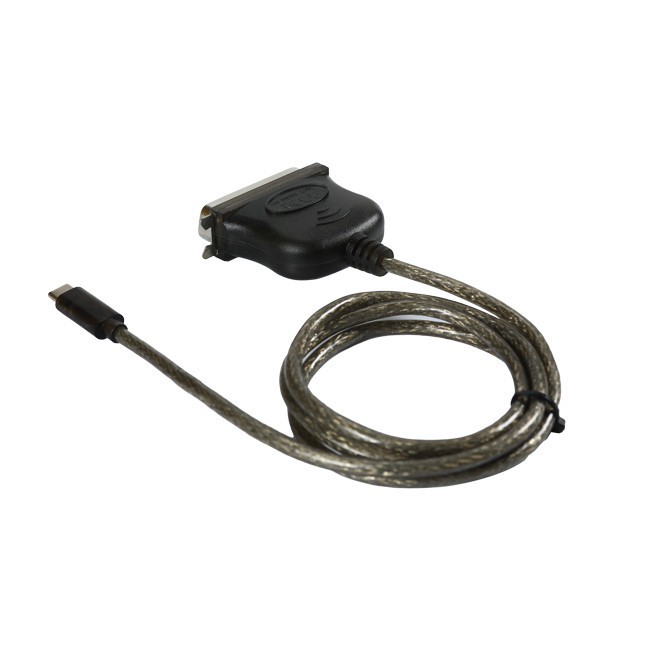
This interference can cause bit errors in the data, leading to incorrect data being received at the destination. In some cases, it can even cause the entire data transmission to fail. For instance, in a USB C To DB25 Parallel Printer Cable used in an office environment with multiple electronic devices, a long cable may pick up EMI from a nearby computer's power supply or a RFI from a Wi - Fi access point, resulting in printing glitches.
Timing and Synchronization
Parallel cables rely on precise timing and synchronization to transmit multiple data bits simultaneously. As the cable length increases, the propagation delay of the signals also increases. Propagation delay is the time it takes for a signal to travel from the source to the destination.
In a parallel data transmission system, all the data bits need to arrive at the destination at the same time. However, due to differences in the electrical characteristics of the cable and the path length for each signal line, there can be slight variations in the propagation delay of each bit. These variations can become more significant as the cable length increases, leading to timing skew.
Timing skew can cause the receiving device to misinterpret the data. For example, if one bit arrives slightly earlier or later than the others, the receiving device may not be able to correctly assemble the data byte. In a high - speed parallel data transfer scenario, such as in a data acquisition system using a parallel cable, timing skew can severely limit the data transfer rate and accuracy.
Data Transfer Rate
The data transfer rate of a parallel cable is closely related to its length. As we've discussed, signal attenuation, interference, and timing skew all increase with cable length. These factors ultimately limit the maximum data transfer rate that can be achieved over a parallel cable.
In shorter cables, the signals can be transmitted at higher frequencies without significant degradation. However, as the cable length increases, the cable's electrical properties start to act as a bottleneck. The receiver may not be able to accurately detect the signals at high frequencies due to attenuation and interference, forcing the system to operate at a lower data transfer rate.
For example, a short USB - C To CN36 Printer Cable may be able to support a relatively high - speed data transfer between a computer and a printer. But if the same cable is extended to a much longer length, the data transfer rate may need to be reduced to ensure reliable data transmission.
Cable Length Recommendations
Based on the above factors, it's important to choose the appropriate cable length for your specific application. In general, for most parallel cable applications, it's recommended to keep the cable length as short as possible.
For standard parallel printer cables, a length of up to 5 meters is usually considered acceptable for reliable data transmission. However, if you need to use a longer cable, you may need to consider using cables with better shielding to reduce interference and cables with lower attenuation characteristics.
In industrial applications, where high - speed and reliable data transfer is crucial, even shorter cable lengths may be required. Some industrial control systems may limit the parallel cable length to 1 - 2 meters to ensure accurate data transmission.
Conclusion
In conclusion, cable length has a profound impact on parallel cable performance. Signal attenuation, interference, timing skew, and data transfer rate are all affected by the length of the cable. As a parallel cable supplier, I understand the importance of providing customers with the right cable solutions based on their specific needs.
If you're in the market for parallel cables and need to ensure optimal performance, it's essential to consider the cable length in relation to your application requirements. Whether you're looking for a USB - C To CN36 Printer Cable, a USB C To DB25 Parallel Printer Cable, or a USB 2.0 To DB25 IEEE - 1284 Parallel Printer Cable, we can help you make the right choice.
If you have any questions about parallel cable performance or need assistance in selecting the appropriate cable length for your application, please feel free to reach out. We're here to help you ensure smooth and reliable data transmission in your systems.

References
- Horowitz, P., & Hill, W. (1989). The Art of Electronics. Cambridge University Press.
- Johnson, H. W., & Graham, M. (1993). High - Speed Digital Design: A Handbook of Black Magic. Prentice Hall.