

How to fix an HDMI adapter that is not working?
Dec 12, 2025
Having an HDMI adapter that's not working can be a real pain, especially when you're in the middle of something important, like watching your favorite movie or giving a presentation. As an HDMI Adapter supplier, I've seen my fair share of these issues, and I'm here to share some tips on how to fix them.
Check the Basics First
Before you start tearing your hair out, let's check the simple stuff. First off, make sure all the cables are properly plugged in. Sometimes, a loose connection can cause all sorts of problems. Unplug the cables from both the HDMI adapter and the devices they're connected to, and then plug them back in firmly. Make sure you're hearing that satisfying "click" sound, which means they're securely connected.
Another basic check is the power. If your HDMI adapter has its own power source, ensure it's plugged in and the power switch is turned on. Some adapters draw power from the connected devices, so make sure those devices are powered up and functioning properly.
Inspect the Cables and Ports
The cables and ports can be the main culprits when an HDMI adapter isn't working. Start by taking a good look at the HDMI cables. Check for any visible damage, like frayed wires or bent pins. If you find any issues, it's probably time to replace the cable. You can find a wide range of high - quality HDMI cables online.

Next, examine the ports on both the HDMI adapter and your devices. Look for any signs of dirt, dust, or debris. If you see any, you can use a can of compressed air to gently blow it out. Be careful not to get too close or use too much force, as you don't want to damage the ports. If the port seems corroded, you might need to clean it with a special electronic contact cleaner.
Update Your Device Software
Sometimes, outdated software can cause problems with HDMI adapters. If you're using a computer or a smart TV, check if there are any software updates available. For a Windows computer, you can go to the "Settings" app, then click on "Update & Security" and select "Check for updates." If you're using a Mac, go to the Apple menu, click on "Software Update."
For smart TVs, the process may vary depending on the brand. Usually, you can find the update option in the TV's settings menu. Keeping your device software up - to - date can often solve compatibility issues with HDMI adapters.
Try Another Device
If you've done all the above steps and the adapter still isn't working, try connecting it to another device. For example, if you've been trying to connect it to your TV, try connecting it to a computer or a game console. This can help you determine if the problem is with the adapter, the device, or the cable.
If the adapter works fine with another device, then the issue is likely with the original device. You may need to check the device's HDMI settings or contact its manufacturer for further assistance. On the other hand, if it doesn't work with any device, then the problem is probably with the adapter itself.
Reset the HDMI Adapter
Some HDMI adapters have a reset option. Check the user manual of your adapter to see if it has a reset button or a way to perform a factory reset. Resetting the adapter can sometimes resolve software glitches that may be causing it to malfunction.
Replace the HDMI Adapter
If all else fails, it might be time to replace the HDMI adapter. As an HDMI Adapter supplier, I can offer you a variety of high - quality adapters that are sure to meet your needs. For example, we have the Right Angle HDMI® Panel Mount Adapter Female To Female Converter. This adapter is great for situations where space is limited, and it provides a reliable connection.
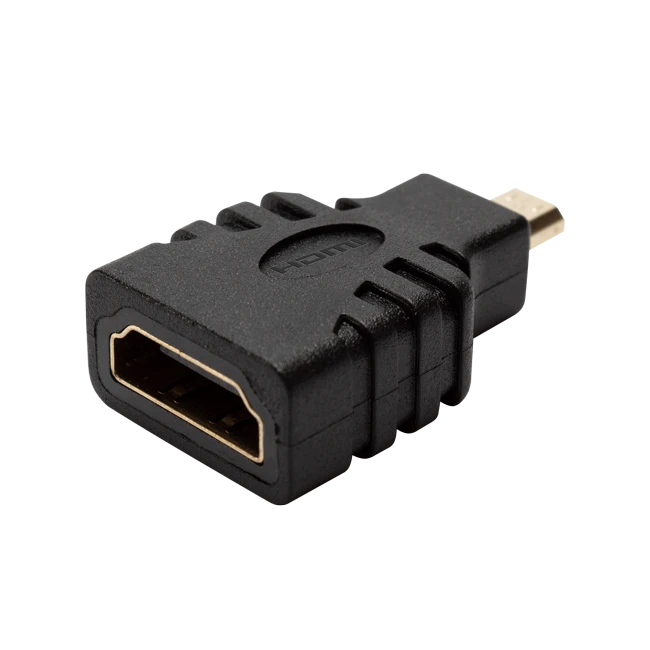
Another option is the HDMI® Female To Micro HDMI Male Adapter. It's perfect for connecting devices with different HDMI port types, such as a tablet or a smartphone to a larger display.
We also have the 90 Degree HDMI® Coupler, which is useful for changing the direction of the HDMI cable and providing a more flexible setup.
Conclusion
Fixing an HDMI adapter that's not working doesn't have to be a nightmare. By following these steps, you can often diagnose and solve the problem on your own. If you're still having issues or if you're looking to purchase a new HDMI adapter, don't hesitate to reach out. We're here to help you find the right solution for your needs. Whether you're a home user, a business, or an institution, we have the products and expertise to support you. Contact us today to start a conversation about your HDMI adapter requirements.
References
- General knowledge from years of experience as an HDMI Adapter supplier.
- User manuals of various HDMI adapters and devices.