

How long does a USB - C Adapter last?
May 14, 2026
In the fast - paced world of technology, USB - C adapters have become an essential part of our daily lives. As a USB - C adapter supplier, I often get asked the question: "How long does a USB - C adapter last?" This blog post aims to explore this question in depth, considering various factors that influence the lifespan of these adapters.
Understanding USB - C Adapters
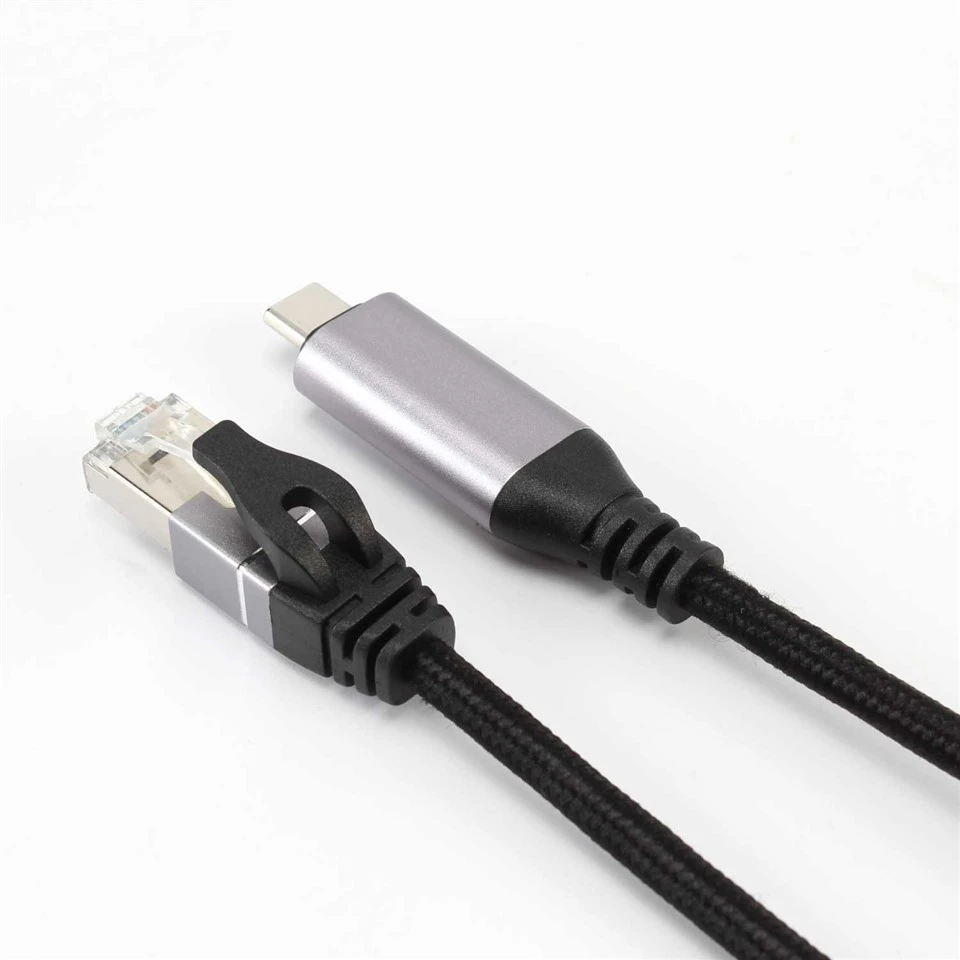
USB - C, also known as USB Type - C, is a 24 - pin USB connector system with a reversible plug and socket. It offers faster data transfer speeds, higher power delivery, and more versatility compared to its predecessors. USB - C adapters come in different types, such as USB C To 3.5mm headphone Jack Adapter, USB - C 3.1 To RJ45 Ethernet Cable, and USB A 3.1 GEN 2 Male To Type C Female Adapter. Each type serves a specific purpose, from enabling audio output to providing network connectivity.
Factors Affecting the Lifespan of USB - C Adapters
1. Build Quality
The build quality of a USB - C adapter is one of the most significant factors determining its lifespan. High - quality adapters are made with durable materials, such as robust plastics and high - grade metals for connectors. These materials can withstand regular use, bending, and plugging and unplugging. Cheaper adapters, on the other hand, may use lower - quality materials that are more prone to breakage. For example, a well - constructed adapter may have a reinforced cable that resists fraying, while a low - quality one might start to show signs of wear after just a few months of use.
2. Usage Frequency
How often you use a USB - C adapter plays a crucial role in its longevity. If you use an adapter multiple times a day, it will experience more wear and tear compared to one that is used only occasionally. For instance, if you are a professional who constantly switches between different devices using a USB - C adapter, the adapter will be under more stress. Frequent plugging and unplugging can cause the connector pins to loosen or bend over time, leading to connectivity issues.
3. Operating Conditions
The environment in which the USB - C adapter is used also affects its lifespan. Adapters used in harsh conditions, such as high - temperature or high - humidity environments, may degrade more quickly. Heat can cause the plastic components to warp, and moisture can corrode the metal connectors. Additionally, exposure to dust and dirt can also affect the performance of the adapter. For example, if an adapter is used in a construction site or a dusty workshop, it may accumulate debris that can interfere with the electrical connections.
4. Compatibility
Using a USB - C adapter with incompatible devices can lead to premature failure. If a device draws more power than the adapter can handle, it can overheat and damage the adapter. Similarly, if the data transfer rate of the device exceeds the capabilities of the adapter, it may cause errors and reduce the lifespan of the adapter. It is essential to ensure that the adapter is compatible with the devices it is being used with.
Average Lifespan of USB - C Adapters
On average, a high - quality USB - C adapter can last anywhere from 2 to 5 years. However, this is just a rough estimate, and the actual lifespan can vary significantly depending on the factors mentioned above. For example, a well - made adapter that is used sparingly in a controlled environment may last longer than 5 years, while a low - quality adapter used frequently in harsh conditions may fail within a few months.
Tips to Extend the Lifespan of USB - C Adapters
1. Handle with Care
When using a USB - C adapter, it is important to handle it gently. Avoid yanking the cable or bending it at sharp angles. When plugging and unplugging the adapter, hold it by the connector rather than pulling on the cable. This can prevent damage to the connector pins and the cable itself.
2. Keep it Clean
Regularly clean the USB - C adapter to remove dust and dirt. You can use a soft, dry cloth to wipe the connector and the cable. If there is stubborn dirt, you can use a small amount of isopropyl alcohol on the cloth, but make sure to dry the adapter thoroughly before using it again.
3. Store Properly
When not in use, store the USB - C adapter in a safe place. Avoid leaving it in direct sunlight or in a hot, humid environment. You can use a protective case or a storage bag to keep the adapter safe and prevent it from getting damaged.
4. Use Compatible Devices
Always use the USB - C adapter with compatible devices. Check the specifications of the adapter and the device to ensure that they are compatible in terms of power delivery and data transfer rates. This can prevent overheating and other issues that can shorten the lifespan of the adapter.
Our USB - C Adapters
As a USB - C adapter supplier, we take pride in offering high - quality adapters that are designed to last. Our USB C To 3.5mm headphone Jack Adapter provides excellent audio quality and is built with durable materials to withstand regular use. Our USB - C 3.1 To RJ45 Ethernet Cable offers fast and reliable network connectivity, and our USB A 3.1 GEN 2 Male To Type C Female Adapter is perfect for connecting USB A devices to USB - C ports.
If you are interested in purchasing our USB - C adapters or have any questions about our products, we encourage you to contact us for a procurement discussion. We are committed to providing the best products and services to meet your needs.

References
- USB Implementers Forum. (n.d.). USB Type - C Specification.
- Consumer Technology Association. (2023). Technology Trends in USB - C Adapters.