

How do I optimize the performance of a parallel cable?
Jan 20, 2026
Parallel cables have long been a staple in data transfer, especially in industrial and printing applications. As a parallel cable supplier, I understand the importance of ensuring these cables perform at their best. In this blog, I'll share some key strategies on how to optimize the performance of a parallel cable.
Understanding the Basics of Parallel Cables
Before delving into optimization, it's crucial to understand what parallel cables are and how they work. Parallel cables are designed to transmit multiple data bits simultaneously over multiple wires. This is in contrast to serial cables, which transmit data one bit at a time. In a parallel cable, each wire carries a different bit of data, allowing for faster data transfer rates.
However, this also means that parallel cables are more susceptible to interference and signal degradation. The close proximity of the wires can cause electromagnetic interference (EMI), which can disrupt the data signal and lead to errors. Additionally, the longer the cable, the more likely it is to experience signal loss.
Choosing the Right Cable
The first step in optimizing the performance of a parallel cable is choosing the right one for your needs. There are several factors to consider when selecting a parallel cable, including the length, the gauge of the wire, and the shielding.
- Length: The length of the cable can have a significant impact on its performance. Longer cables are more likely to experience signal loss, so it's important to choose the shortest cable possible for your application. If you need a longer cable, consider using a signal booster or repeater to maintain the integrity of the signal.
- Gauge: The gauge of the wire refers to its thickness. Thicker wires have less resistance, which means they can carry a stronger signal over longer distances. When choosing a parallel cable, look for one with a lower gauge number to ensure better performance.
- Shielding: Shielding is essential for reducing electromagnetic interference (EMI) and protecting the data signal. There are two main types of shielding: foil shielding and braided shielding. Foil shielding is thinner and more flexible, while braided shielding is thicker and more durable. Both types of shielding can effectively reduce EMI, but braided shielding is generally considered to be more effective.
Proper Installation
Proper installation is another key factor in optimizing the performance of a parallel cable. Here are some tips to ensure a successful installation:
- Avoid Bends and Kinks: Bending or kinking a parallel cable can cause the wires to become pinched or damaged, which can disrupt the data signal. When installing the cable, make sure to avoid sharp bends and kinks, and use cable ties or clips to secure the cable in place.
- Keep Cables Separate: Running parallel cables close to other cables, especially power cables, can cause electromagnetic interference (EMI). To reduce the risk of interference, keep the parallel cables separate from other cables and use cable management solutions, such as cable trays or conduits, to organize the cables.
- Use the Right Connectors: Using the right connectors is essential for ensuring a secure and reliable connection. Make sure to choose connectors that are compatible with the cable and the devices you're connecting. Additionally, make sure to properly install the connectors, following the manufacturer's instructions.
Maintaining the Cable
Regular maintenance is important for ensuring the long-term performance of a parallel cable. Here are some tips to help you maintain your cable:
- Inspect the Cable Regularly: Inspect the cable regularly for signs of damage, such as frayed wires, loose connectors, or corrosion. If you notice any damage, replace the cable immediately to prevent further problems.
- Clean the Cable: Over time, dust and debris can accumulate on the cable, which can interfere with the data signal. To clean the cable, use a soft, dry cloth to gently wipe the cable. Avoid using abrasive materials or cleaning solutions, as these can damage the cable.
- Store the Cable Properly: When not in use, store the cable in a cool, dry place to prevent damage. Avoid storing the cable in direct sunlight or in areas with high humidity, as these conditions can cause the cable to deteriorate over time.
Using High-Quality Components
Using high-quality components is another important factor in optimizing the performance of a parallel cable. Here are some components to consider:
- Power Supplies: A stable power supply is essential for ensuring the proper operation of the devices connected to the parallel cable. Make sure to use a high-quality power supply that provides the correct voltage and amperage for your devices.
- Signal Boosters and Repeaters: If you need to use a long cable or if you're experiencing signal loss, consider using a signal booster or repeater to strengthen the signal. These devices can help to maintain the integrity of the signal and improve the performance of the cable.
- Filters and Isolators: Filters and isolators can be used to reduce electromagnetic interference (EMI) and protect the data signal. These devices can be installed at the ends of the cable or along the length of the cable to prevent interference from other sources.
Compatibility and Testing
Before using a parallel cable, it's important to ensure that it is compatible with the devices you're connecting. Make sure to check the specifications of the cable and the devices to ensure that they are compatible in terms of voltage, amperage, and data transfer rate.
Once you have installed the cable, it's also important to test it to ensure that it is working properly. You can use a cable tester to check the continuity of the wires and to identify any potential problems. Additionally, you can run some simple data transfer tests to ensure that the cable is transmitting data accurately and reliably.
Explore Our Parallel Cable Offerings
As a parallel cable supplier, we offer a wide range of high-quality parallel cables to meet your specific needs. Our cables are designed to provide fast, reliable data transfer, and they are available in a variety of lengths, gauges, and shielding options.
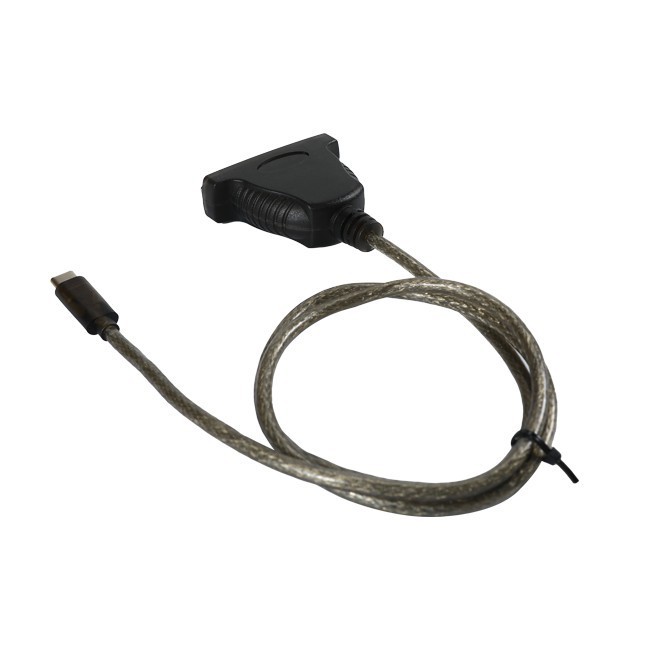
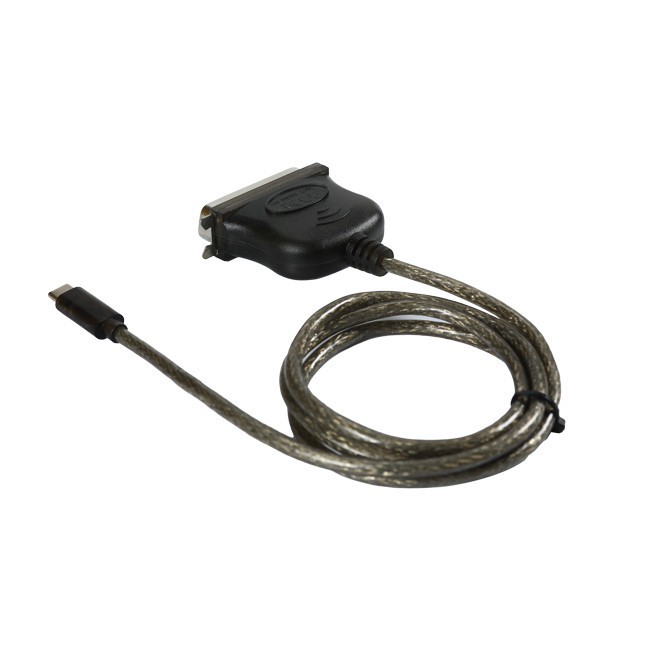
Some of our popular products include the USB C To DB25 Parallel Printer Cable, the USB 2.0 To DB25 Parallel Printer Adapter Cable, and the USB-C To CN36 Printer Cable. These cables are ideal for use in a variety of applications, including printing, industrial automation, and data acquisition.
Contact Us for Your Parallel Cable Needs
If you're looking to optimize the performance of your parallel cables or if you have any questions about our products, please don't hesitate to contact us. Our experienced team of experts is here to help you find the right solutions for your needs. Whether you're a small business or a large corporation, we can provide you with the high-quality parallel cables and support you need to ensure the success of your projects.
References
- ARRL Handbook for Radio Communications. Various editions. Offers in - depth knowledge on electrical principles including cable performance.
- Groth, Walt. "Understanding Electrical Noise." This resource provides insights into how to deal with electromagnetic interference in cables.
- Engineering textbooks on data transmission and electrical engineering, which cover cable design and optimization concepts.