

Can a USB - C Adapter be used for augmented reality devices?
Dec 19, 2025
Yo, what's up tech enthusiasts! I'm a supplier of USB - C adapters, and today I wanna chat about whether a USB - C adapter can be used for augmented reality (AR) devices.
First off, let's get a quick lowdown on AR devices. AR is all about blending the digital world with the real one. You've got those cool AR glasses or headsets that overlay digital info, like maps, game elements, or product details, right onto your view of the real world. These devices are becoming more and more popular, from gaming and education to industrial and medical applications.
Now, let's talk about USB - C adapters. They're super handy little gadgets that let you connect different devices to your USB - C enabled stuff. Whether it's plugging in an old USB - A device to a new laptop with only USB - C ports or getting audio out of your USB - C phone, there's an adapter for that.
So, can a USB - C adapter be used for AR devices? The short answer is yes, but it depends on what you're trying to do.
Powering AR Devices
One of the most basic uses of a USB - C adapter with an AR device is for power. Many AR headsets and glasses need a power source to run all those fancy sensors and displays. A USB - C adapter can be used to connect the AR device to a power bank or a wall charger. For example, if you're out and about using your AR glasses for a long - time, you can use a USB A 3.1 GEN 2 Male To Type C Female Adapter to connect your AR device to a power bank with a USB - A output. This way, you can keep your AR device juiced up and keep exploring the augmented world.
Connecting External Devices
AR devices often need to connect to external devices to work at their best. For instance, you might want to connect a high - quality microphone for better voice recognition or a 3D camera for more immersive experiences. A USB - C adapter can help with that.
If you want to use a 3.5mm audio jack with your AR device, you can use a USB C To 3.5mm headphone Jack Adapter. This is great if you prefer using your old - school headphones instead of the built - in speakers on the AR device. It can also be useful for recording audio in a noisy environment, as you can use an external microphone with a 3.5mm plug.
Another common need is to connect to the internet. Most AR devices rely on a stable internet connection for downloading new content, syncing data, or multiplayer gaming. A USB C To Ethernet Adapter can come in really handy here. It allows you to connect your AR device to a wired Ethernet network, which can provide a faster and more stable connection compared to Wi - Fi.
Data Transfer
Data transfer is also an important aspect when it comes to AR devices. You might want to transfer 3D models, maps, or other data from your computer to your AR device. USB - C adapters can facilitate this process. For example, if your AR device has a USB - C port and your computer has a USB - A port, you can use a USB - C to USB - A adapter to transfer data between the two.
However, there are some challenges when using USB - C adapters with AR devices.
Compatibility Issues
Not all USB - C adapters are created equal, and not all of them will work with every AR device. Some AR devices have specific power requirements, and using the wrong adapter might not provide enough power or could even damage the device. For example, if an AR device needs a high - power adapter to run its high - resolution display and you use a low - power adapter, the device might not function properly or could overheat.
Bandwidth Limitations
When it comes to data transfer, some USB - C adapters might have bandwidth limitations. If you're trying to transfer large 3D models or high - definition videos to your AR device, a low - bandwidth adapter could slow down the process significantly. So, it's important to choose an adapter that can handle the data transfer speeds required by your AR device.
Latency
In applications where real - time interaction is crucial, like AR gaming, latency can be a big problem. Using a USB - C adapter to connect external devices might introduce some latency, which can make the AR experience less immersive. For example, if you're using an external controller connected via a USB - C adapter, the delay between your actions on the controller and the response in the AR environment can be noticeable.
Despite these challenges, USB - C adapters can still be a great addition to your AR setup. They offer a lot of flexibility and can help you get the most out of your AR device.
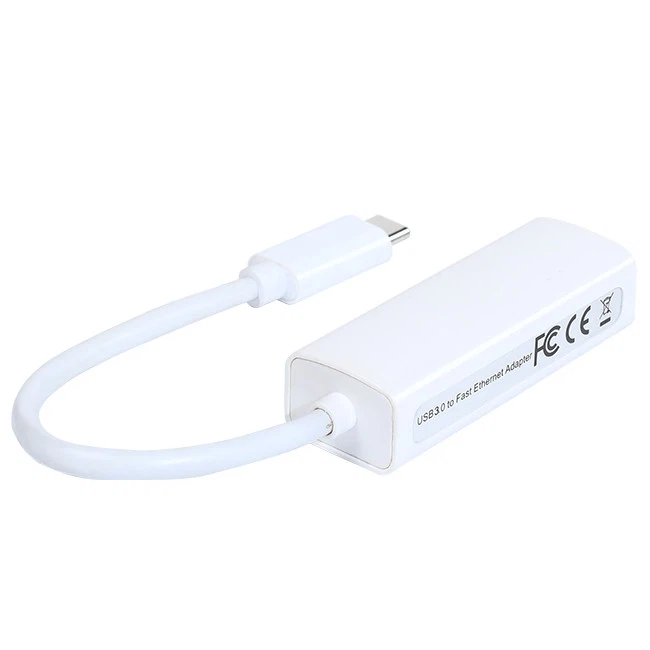

If you're in the market for high - quality USB - C adapters for your AR devices, we've got you covered. Our adapters are designed to meet the diverse needs of AR users. Whether you need a power adapter, an audio adapter, or an Ethernet adapter, we have a wide range of products to choose from.
If you're interested in learning more about our USB - C adapters or want to discuss a bulk purchase for your business or project, feel free to reach out. We're always happy to have a chat and help you find the right adapter for your AR devices.
References
- "Augmented Reality: Principles and Practice" by Steve Feiner, Blair MacIntyre, and Dan Seligmann.
- Various product manuals and specifications from AR device manufacturers.