

Can a USB 2.0 cable be used to connect a cash register?
Jan 07, 2026
Hey there! As a USB 2.0 cable supplier, I often get asked a bunch of questions about these cables. One query that pops up quite a bit is, "Can a USB 2.0 cable be used to connect a cash register?" Well, let's dig into this topic and find out.
First off, let's understand what a USB 2.0 cable is. USB 2.0, which came out way back in 2000, is a widely used standard for connecting devices. It's known for its decent data transfer speed of up to 480 Mbps and its ability to power small devices. You've probably used a USB 2.0 cable to connect your phone, camera, or printer to your computer at some point. It's that common!
Now, when it comes to cash registers, they've evolved a lot over the years. Modern cash registers are like mini - computers. They come with various ports to connect different peripherals such as barcode scanners, receipt printers, and card readers. And guess what? Many of these modern cash registers have USB ports, and that's where our USB 2.0 cables come into play.
The good news is that in most cases, yes, you can use a USB 2.0 cable to connect a cash register to other devices. For example, if you want to connect a barcode scanner to your cash register, a USB 2.0 cable can do the job just fine. The scanner can send the barcode data to the cash register via the cable, and the register can then look up the price and add it to the transaction.
Similarly, for connecting a receipt printer to the cash register, a USB 2.0 cable can be a great option. Just plug one end of the cable into the printer's USB port and the other end into the cash register's USB port. This allows the cash register to send the transaction details to the printer, which then prints out a nice, neat receipt for your customers. You can check out our USB 2.0 To IEEE1284 Printer Cable for a great option to connect your printer to the cash register.
But, there are a few things to keep in mind. Not all cash registers are created equal. Some older models might not have USB ports at all. In that case, you're out of luck using a USB 2.0 cable. You'd have to look into other connection methods like serial or parallel ports.
Also, the length of the USB 2.0 cable matters. USB 2.0 cables are generally recommended to be no longer than 5 meters (about 16.4 feet). If you try to use a longer cable, you might experience signal degradation. This means that the data transfer could become slow or unreliable. So, make sure you choose the right length for your setup.
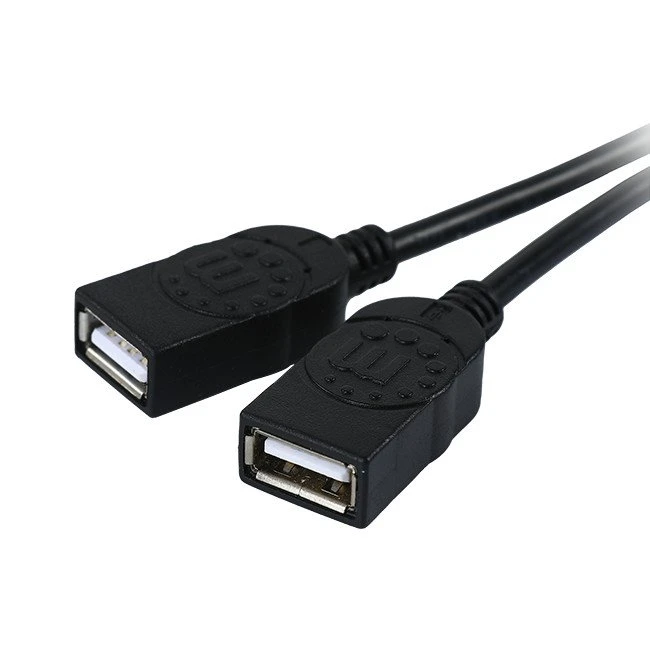
Another thing is the power requirements. Some cash register peripherals, like certain types of card readers, might need more power than a standard USB 2.0 port can provide. In such cases, you might need to use a USB 2.0 Y Splitter Cable. This cable allows you to split the USB connection and get power from an additional source, ensuring that your device gets enough juice to work properly.
Now, let's talk about compatibility. Just because a device has a USB port doesn't mean it will work seamlessly with a USB 2.0 cable. You need to make sure that the device supports the USB 2.0 standard. Some newer devices might be designed for USB 3.0 or even USB 4.0, which have faster data transfer speeds. While a USB 2.0 cable might physically fit into the port, the data transfer might be limited to the USB 2.0 speed.
In some cases, you might also need to install drivers for the device to work correctly. For example, if you're connecting a new barcode scanner to your cash register using a USB 2.0 cable, you might need to install the scanner's drivers on the cash register's operating system. This ensures that the cash register can communicate properly with the scanner.
If you're looking to connect your cash register to a display device, say an HDMI monitor, you can use a USB 2.0 Male To HDMI Male Adapter Cable. This cable allows you to convert the USB 2.0 signal to an HDMI signal, so you can display the cash register's interface on a bigger screen.
So, to sum it up, a USB 2.0 cable can definitely be used to connect a cash register to a variety of peripherals in many cases. But you need to check the cash register's ports, the device's compatibility, power requirements, and cable length.
If you're in the market for USB 2.0 cables for your cash register setup, we've got you covered. We offer a wide range of high - quality USB 2.0 cables that are designed to meet your needs. Whether you need a simple printer cable, a splitter cable, or an adapter cable, we have it all.

If you're interested in learning more or making a purchase, feel free to reach out. We're always happy to help you find the right cable for your cash register and answer any questions you might have. Let's get your cash register connected and running smoothly!
References
- "USB 2.0 Specification", USB Implementers Forum
- "Cash Register Technology and Connectivity", Retail Technology Journal