

Are there any specific requirements for a USB 2.0 cable in a professional setting?
Dec 24, 2025
In today's fast - paced professional world, technology plays a crucial role in ensuring smooth operations. One small yet significant piece of technology that often gets overlooked is the USB 2.0 cable. As a supplier of USB 2.0 cables, I've had my fair share of dealing with various professional settings and understand well the specific requirements these environments demand.
Let's kick things off by looking at the basics. USB 2.0 cables are designed to transfer data at a maximum speed of 480 Mbps. This might seem like a lot, but in a professional setting, speed is just one piece of the puzzle. The data integrity is vital, too. Think about a financial institution where large amounts of sensitive data are being transferred daily. Any glitch or data loss during the transfer can have serious consequences. So, for these types of industries, the USB 2.0 cable must be able to maintain stable data transfer without any loss.
One of the ways to ensure data integrity is through proper shielding. A well - shielded USB 2.0 cable can protect the data signals from electromagnetic interference (EMI) and radio - frequency interference (RFI). In an office environment filled with numerous electronic devices, there's a lot of electromagnetic noise. Without proper shielding, this noise can disrupt the data flow in the USB 2.0 cable. For example, in a call center with rows of computers and phones, the USB 2.0 cables used to connect scanners or external hard drives need to be shielded to avoid data corruption.
Another aspect related to shielding is the durability of the cable. In a professional setup, cables are frequently plugged and unplugged. Sometimes, they might get caught under furniture or stepped on accidentally. A robust outer sheath can protect the internal wiring from physical damage. A cable with a tough and flexible outer layer is less likely to break, which saves the company from the hassle and cost of frequent cable replacements.
Length is also a key consideration. In a large office space or a server room, you might need longer cables to connect devices that are far apart. However, as the length of the USB 2.0 cable increases, the signal strength can degrade. For instance, if you're trying to connect a printer in a corner of a large warehouse - like office to a computer at the other end with a very long cable, you might experience slow data transfer or even connection issues. It's important to choose the right cable length that doesn't compromise the data transfer speed and quality.
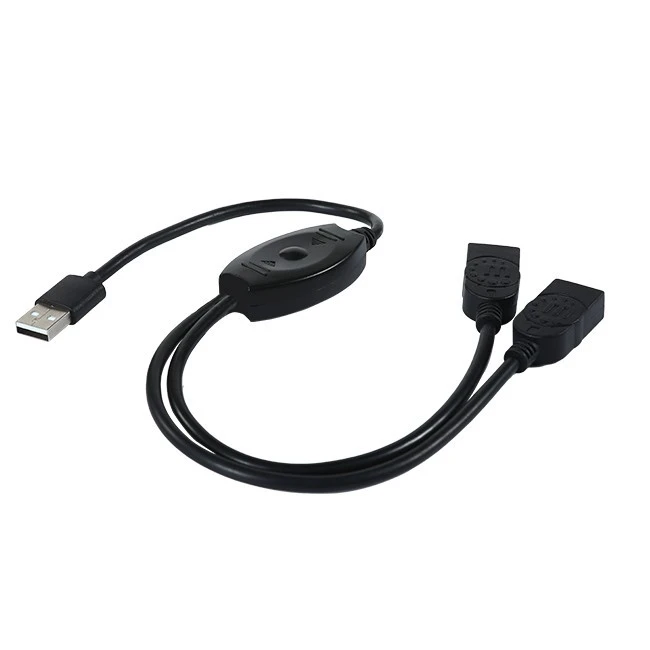
Now, let's talk about power requirements. Some devices connected via USB 2.0 cables need an adequate power supply. For example, external hard drives or some advanced scanners draw power from the USB port. In cases where the device requires more power than a single USB port can provide, a USB 2.0 Y Splitter Cable can be a great solution. This cable allows you to connect to two USB ports to get more power.
In a multimedia - heavy professional environment, like a video - editing studio or a music production room, the need for audio - related USB 2.0 cables is high. The 3 in 1 USB Sound Card Stereo Audio Converter Cable is an excellent choice here. It can convert digital audio signals into analog signals, providing high - quality sound output. This is essential for accurate audio playback and recording in professional audio setups.
Compatibility is another major consideration. In a professional IT department, there's a wide range of devices with different operating systems and compatibility requirements. A USB 2.0 cable should be able to work seamlessly with Windows, macOS, Linux, and other operating systems. For example, if a company uses a mix of Windows - based desktops and macOS laptops, the USB 2.0 cables need to be compatible with both systems to avoid any compatibility headaches.
Also, in an office where many employees still use older input devices, such as PS/2 keyboards and mice, the USB 2.0 To Dual Ps2 Keyboard Mouse Converter Cable can be a lifesaver. It allows these old - school devices to be connected to modern computers with USB ports, extending the usability of existing equipment and saving the company money on new hardware.
When it comes to aesthetics, it might not be the top priority, but it still matters in a professional setting. A clean and organized workspace is often preferred. Cables that are neatly arranged and have a professional look can contribute to a better - looking office environment. Some USB 2.0 cables come with features like color - coded connectors or a sleek design, which can make the cable management process easier and more visually appealing.
As a USB 2.0 cable supplier, I understand that every professional setting has its unique needs. Whether it's a high - security financial firm, a creative media agency, or a busy corporate office, the right USB 2.0 cable can make a big difference. We offer a wide range of USB 2.0 cables that meet all the requirements I've mentioned above.
If you're in the market for USB 2.0 cables for your professional setting, don't hesitate to reach out. We're here to help you find the perfect cables that fit your specific needs. Whether you need a simple short cable for connecting a flash drive or a specialized audio converter cable for your studio, we've got you covered. Let's have a chat about your requirements, and together, we can ensure that your professional technology setup runs smoothly.
References

- "USB 2.0 Specification", USB Implementers Forum
- "Best Practices for USB Cable Selection in Professional Environments", TechNet Magazine