

Are there any power - saving features in a USB 3.0 cable?
Dec 09, 2025
In the era of rapid technological advancement, energy efficiency has become a pivotal concern for both consumers and businesses. As a leading USB 3.0 cable supplier, I am frequently asked about the power-saving features of USB 3.0 cables. In this blog post, I will delve into the technical aspects of USB 3.0 cables and explore whether they possess any power-saving capabilities.
Understanding USB 3.0 Technology
Before we discuss power-saving features, it's essential to understand the basics of USB 3.0 technology. USB 3.0, also known as SuperSpeed USB, was introduced in 2008 as a significant upgrade over its predecessor, USB 2.0. It offers a much higher data transfer rate of up to 5 Gbps, which is ten times faster than USB 2.0's 480 Mbps. This high-speed data transfer is made possible by the addition of four new data lines in the USB 3.0 cable, in addition to the four data lines present in USB 2.0.
In addition to faster data transfer, USB 3.0 also provides improved power management features. The USB 3.0 standard defines a more efficient power delivery system that allows devices to draw more power when needed and conserve energy when idle. This is achieved through a combination of hardware and software features that work together to optimize power consumption.
Power-Saving Features in USB 3.0 Cables
One of the primary power-saving features of USB 3.0 cables is the ability to support selective suspend mode. In this mode, the USB 3.0 device can enter a low-power state when it is not actively transferring data. During selective suspend, the device can reduce its power consumption by shutting down certain components, such as the data transfer circuitry, while still maintaining a connection to the host computer. When the device needs to transfer data again, it can quickly resume normal operation.
Another power-saving feature of USB 3.0 cables is the ability to support battery charging. USB 3.0 ports can provide up to 900 mA of current, which is sufficient to charge many mobile devices, such as smartphones and tablets. This eliminates the need for a separate charger, which can save energy and reduce clutter.
In addition to these hardware features, USB 3.0 also includes software-based power management features. The USB 3.0 standard defines a set of power management protocols that allow the host computer and the device to communicate and negotiate power consumption. For example, the device can inform the host computer when it is idle and request a lower power state. The host computer can then adjust the power supply to the device accordingly.
Real-World Benefits of Power-Saving USB 3.0 Cables
The power-saving features of USB 3.0 cables offer several real-world benefits. For consumers, these features can help to reduce energy consumption and lower electricity bills. By using a USB 3.0 cable to charge their mobile devices, consumers can save energy and reduce their carbon footprint.
For businesses, power-saving USB 3.0 cables can help to reduce operating costs and improve efficiency. By using USB 3.0 cables to connect their devices, businesses can reduce the amount of energy consumed by their computer systems. This can result in significant cost savings over time, especially for large organizations with many computers and devices.
Our USB 3.0 Cable Products
As a USB 3.0 cable supplier, we offer a wide range of high-quality USB 3.0 cables that are designed to meet the needs of our customers. Our cables are made from high-quality materials and are rigorously tested to ensure reliability and performance.
One of our popular products is the USB 3.0 AF To BF Panel Mount Cable. This cable is designed for use in industrial and commercial applications where a secure and reliable connection is required. It features a panel mount design that allows it to be easily installed in a variety of equipment.
Another popular product is the USB 3.0 AM To Esata Cable with Switch. This cable is designed for use with external hard drives and other storage devices. It features a built-in switch that allows the user to easily switch between USB 3.0 and eSATA connections.

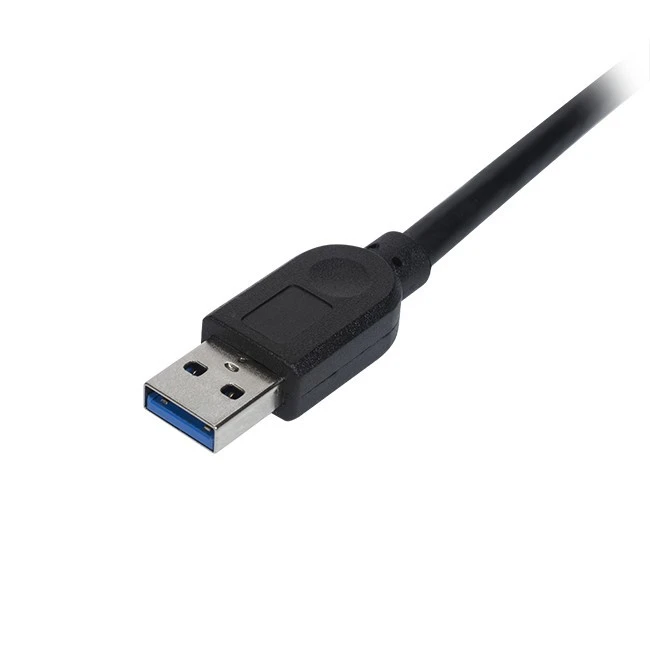
We also offer the USB 3.0 20 Pin Female To Housing, which is designed for use in custom applications where a specific connector is required. This cable features a 20-pin female connector on one end and a housing on the other end, which can be customized to fit the user's needs.
Conclusion
In conclusion, USB 3.0 cables do possess several power-saving features that can help to reduce energy consumption and lower operating costs. These features include selective suspend mode, battery charging support, and software-based power management protocols. By using USB 3.0 cables, consumers and businesses can save energy, reduce their carbon footprint, and improve efficiency.
If you are interested in learning more about our USB 3.0 cable products or would like to discuss your specific requirements, please feel free to contact us. We would be happy to help you find the right cable for your needs.
References
- USB Implementers Forum. (2008). USB 3.0 Specification. Retrieved from https://www.usb.org/document-library/usb-30-specification
- Intel Corporation. (2010). USB 3.0: The Next Generation of USB. Retrieved from https://www.intel.com/content/www/us/en/io/usb/usb-3-0.html
- Microsoft Corporation. (2012). USB 3.0 Power Management. Retrieved from https://docs.microsoft.com/en-us/windows-hardware/drivers/usbcon/usb-3-0-power-management